Age 14
Early Instructor
Taught community peer workshops while in 9th grade
How an early community teaching assignment proved that understanding the human user is just as critical as writing backend code.
"Before writing a single line of code, an engineer must understand how humans interact with a screen. Teaching UI/UX at fourteen showed me that design isn't decoration; it's communication."
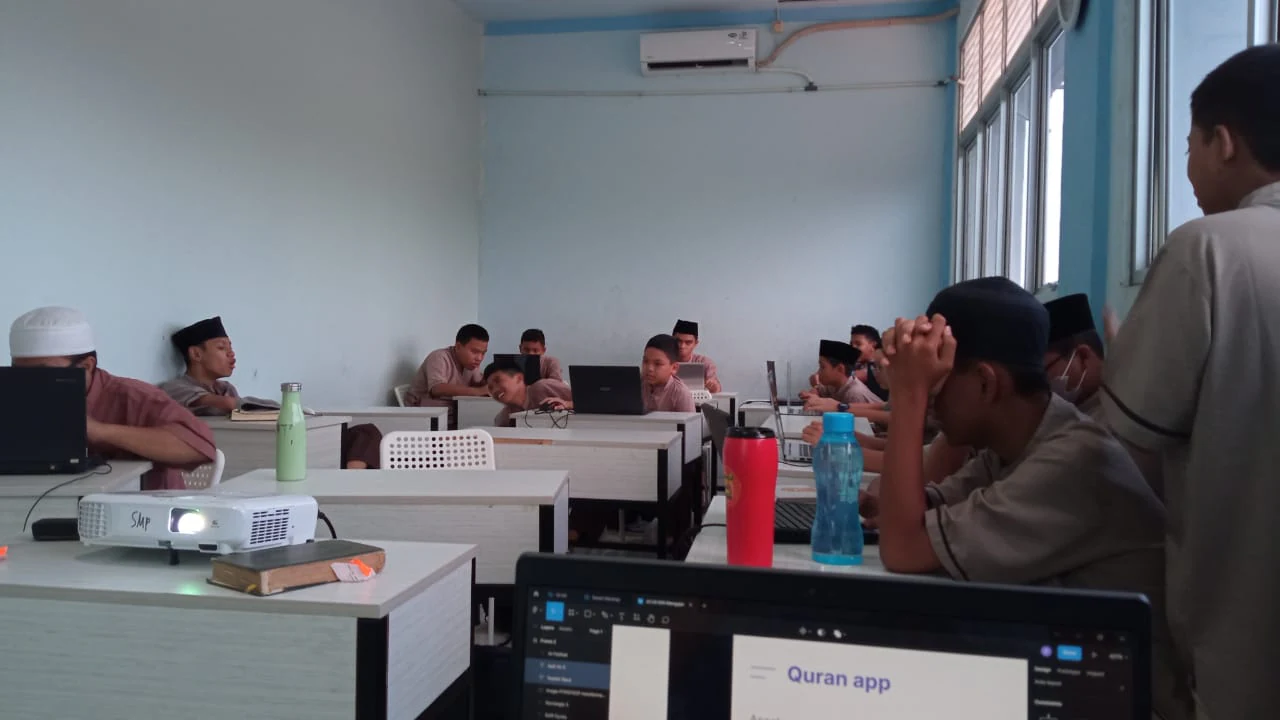
When junior high students hear about 'app design,' they often imagine freeform drawing. At Al Anshar, I began the workshop with paper and pencils. We sketched wireframe cards, thought about where thumbs naturally rest on a mobile phone, and debated why large buttons are easier to tap than tiny links. By grounding design in physical ergonomics first, students grasped the purpose of user experience before touching digital vector software.
Transitioning into Figma, I introduced frames, typography scales, and consistent spacing rules. The magic happened during the prototyping phase: connecting a button on Screen A to navigate smoothly into Screen B with smart animate transitions. Watching 14-year-old peers test their own clickable mobile app prototypes on preview screens demonstrated that design thinking can be cultivated early.
A practical 3-stage curriculum teaching visual hierarchy, component layout, and interactive prototyping in Figma.
Mapping user journeys, sketching paper wireframes, and understanding mobile thumb zones and visual hierarchy.
Mastering Figma frames, vector shapes, typography pairings, and accessible color contrast standards.
Connecting frames with interactive tap triggers, slide transitions, and presenting live preview flows.
Insights gained from teaching design thinking at age fourteen.
Teaching students to think about how another person uses a screen built a lasting foundation for my own career as a full-stack engineer.
When students learned a consistent 8px spacing rule, their designs stopped looking cluttered and immediately felt organized and intentional.
Archival records from the mobile application UI/UX design workshops conducted at Al Anshar Islamic School.
Demonstrating mobile wireframes, frame connections, and interactive prototyping flows on the classroom projector screen.