2nd Workshop
Return Invitation
Invited back to teach game dev after the UI design workshop
How returning to Al Anshar to teach game development turned abstract conditional statements into tangible, joyful mechanics.
"When you teach a student how to build a game, you're not just entertaining them; you're teaching them how to break an overwhelming problem into small, manageable logic blocks."
Having previously taught mobile UI design to these same students two months prior, returning to introduce Scratch felt like a natural graduation from static layouts to living, dynamic systems. I explained that every video game is simply an endless conversation between the player's fingers and the computer: 'Check input, update position, check collisions, redraw screen.' That conceptual framework gave them a structured way to think about logic.
The most common stumbling block was collision handling: students would script an obstacle, only for the character to pass right through it or get stuck permanently. Walking them through condition boundaries line-by-line demystified the bug: 'The computer checks collisions so quickly that if you don't reset the coordinate, it thinks you're still touching it.' Seeing their faces light up when their collision scripts finally registered cleanly was immensely rewarding.
A progressive 3-stage curriculum teaching visual programming, continuous game loops, and scoring algorithms.
Controlling sprites via keyboard arrow handlers, setting screen boundary wrappers, and continuous forever loops.
Configuring hitbox collision detection between players and enemy hazards, and broadcasting game-over triggers.
Engineering variable score counters, coin collecting mechanics, and tuning speed variables to make games fun.
Insights on teaching sequential algorithms through play.
When a sprite behaves unexpectedly, walking students through the sequence of blocks turns frustration into an exciting detective puzzle.
Once a student understands how to make a character jump, they immediately want to figure out how to make enemies chase them. The teacher simply provides the map.
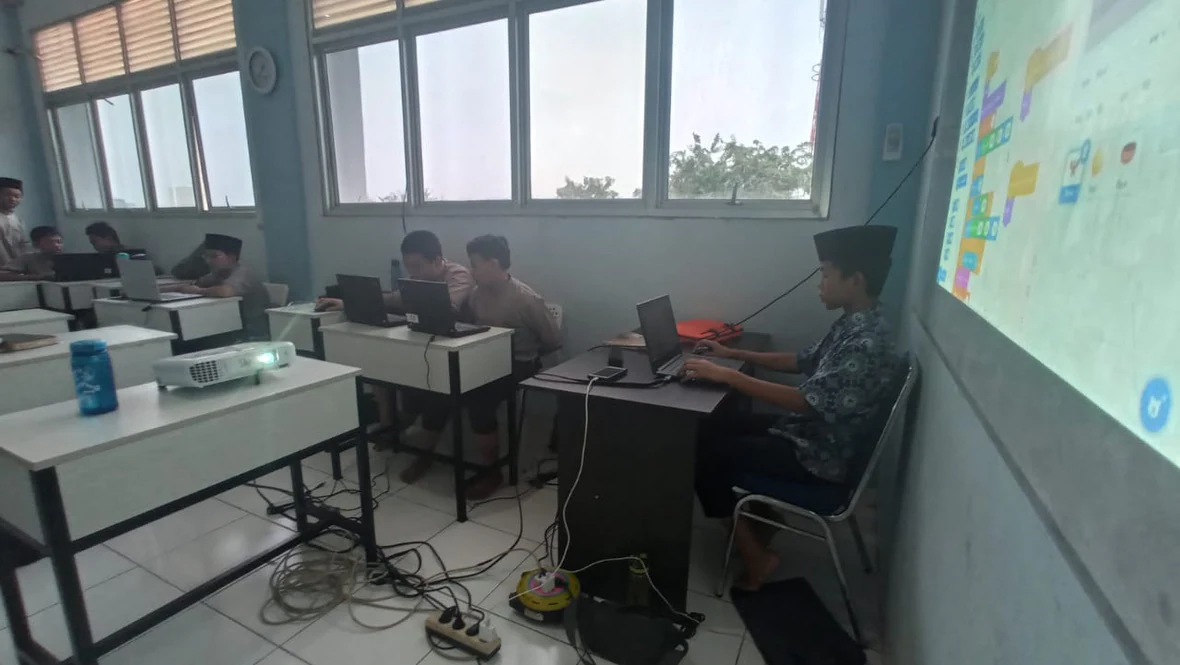
Visual archives documenting Scratch game programming sessions at Al Anshar Islamic School.
Teaching game loop sequences, character movement handlers, and collision conditions on the computer lab whiteboard and projector.